Legal AI for Ugandan law firms, working on your own files.
PractoCore’s assistant researches the Laws of Uganda and decided cases with each source cited, answers questions from your firm’s documents, drafts from your precedent and runs your matters on instruction. It works on your live files and waits for your approval before anything changes.
Most legal AI starts from a blank page.
General chatbots are capable, and many advocates already use them. But everything has to be carried to them by hand: upload the document, paste the background, explain the house style again, then copy the answer back into the file. They keep nothing between conversations and cannot touch the matter. For a firm, the assistant has to start from the firm’s own work.
The work it takes on, under your supervision.
Researches Ugandan law, with sources
Put a research question to it and it searches the 351 Acts of the Principal Laws, the Constitution and its growing collection of decided cases. Each answer cites the section or the judgment, and the source opens beside it for you to read.
Works on the live caseload
It reads your matters, engagements, court dates and documents. You can open a matter with the form, or upload the plaint and answer two questions.
Every change waits for you
Drafting, recording an adjournment, reassigning work and notifying the team all pause for your sign-off. So does anything else that changes data or leaves the firm.
Answers from your documents, with the source
NewAsk “Who signed the agreement on behalf of Tom Construction Ltd?” and you get the name and the place in the document it came from.
Dates derived, with the rule shown
Record a hearing or an adjournment and it derives the dependent dates under Ugandan procedure, counting court days and public holidays. Each date shows the rule it came from, for you to confirm.
Drafts in your house style
Describe the document and it prepares an editable Word file on the matter, in your firm’s style and Ugandan court formatting.
Your procedures, taught once
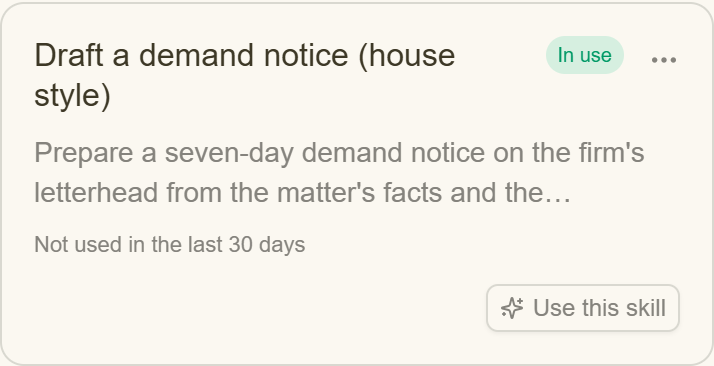
NewThe way your firm reviews a lease or prepares an incorporation becomes a named Skill that runs the same way each time. We set Skills up with you.
How a firm uses it.
- 01
Bring in the work
Open the matters and engagements you are carrying and put their documents in the vault against the matter each belongs to.
- 02
Instruct in plain language
Type or dictate what you need, in the words you would use with a clerk or an associate.
- 03
Watch it work
You see each step as it runs: reading the matter, searching the vault, preparing the draft.
- 04
Approve or correct
Approve what it proposes, change it, or decline it. Every AI action is kept in an audit trail.
The advocate keeps the judgement.
You check the work
PractoCore does not ask you to trust it on a question of law. Its research shows the provision or judgment it relied on, its drafts sit on the matter for review, and nothing changes until you approve it.
The Laws of Uganda in full
All 351 Acts of the 7th Revised Edition across the 14 Red Volumes, and the Constitution, held as full text. Decided cases are a growing collection, and the coverage page states court by court what is held and what is not.
Built for Ugandan practice
It follows Ugandan procedure, court days and public holidays, reads from ECCMIS, the Judiciary’s case management system, and is priced in Ugandan Shillings.
“Does PractoCore give legal advice?”
No. It researches, finds documents, prepares drafts and does the administrative work around a matter, and you check every result before it is used. Its research cites provisions in the Laws of Uganda and decided cases in its case-law collection, which is growing and not yet complete. The advice is yours.
“Can it do legal research?”
Yes. Ask a question in ordinary language and it searches the Laws of Uganda and its case-law collection, then answers with the sections and judgments it relied on, each one opening beside the answer. For longer questions, Deep Research (in beta) plans a fuller search for your approval and returns a memo with every source cited.
“How is this different from using ChatGPT?”
A general chatbot knows only what you paste into it, keeps nothing, and cannot act on your files. PractoCore works from the matters, dates and documents already in your firm’s system, and once you approve a change it makes it.
“Can it change anything without my approval?”
No. Every action that changes data or goes outside the firm waits for a sign-off from one of your people, and AI actions are kept in an audit trail.
“Is our firm’s data kept separate?”
Yes. Each firm’s data is isolated from every other firm’s, access is role-based, and counsel see only the matters and engagements they are members of. The data and confidentiality section of our privacy policy has the detail.
“What does it cost?”
Pricing is quoted for each firm. It is per seat in Ugandan Shillings, billed monthly or annually and payable by mobile money, with no seat minimum and no multi-year commitment. Every firm starts with 30 days free, with every feature and no card. Ask us for a quote and we will put it in writing.
“Which devices does it run on?”
The web, Windows, macOS (Apple silicon and Intel), Linux and Android. There is no iOS app.
Works with the rest of PractoCore.



Try it on a real matter.
Open a matter, give it an instruction and approve what it proposes. Free for 30 days.
Free for 30 days · No card required · Built for Ugandan practice.